

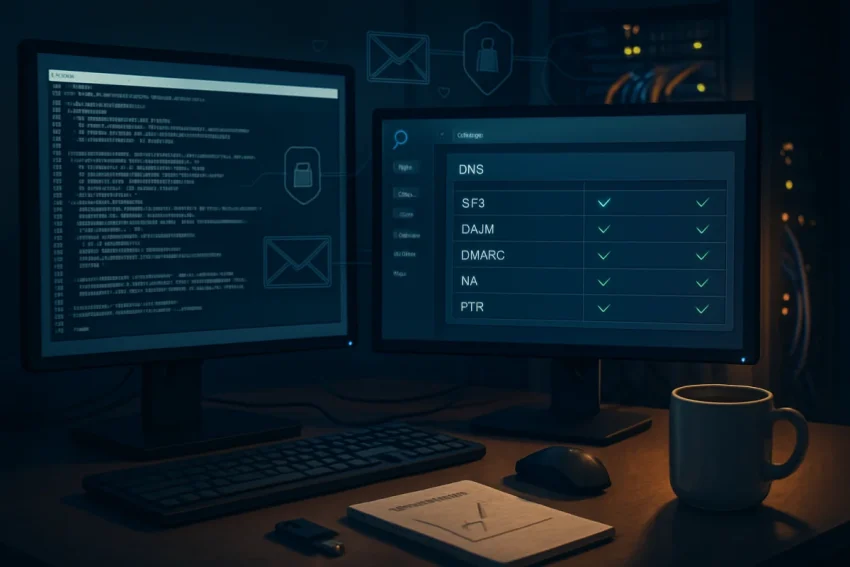
If you’re hitting send on thousands of messages each week, setting up a dedicated SMTP server for bulk emails can unlock control, lower costs, and better deliverability. Instead of relying on shared infrastructure, you’ll own the reputation, the throttling rules, and the routing. Done right, this gives you a steady pipeline to the inbox—without mysterious blocks or sudden rate limits undermining your campaigns.
Why a Dedicated SMTP Server Is Worth It for High-Volume Senders
Shared email services are convenient, but your reputation can be tied to other senders. A dedicated SMTP environment isolates your IP, domain, and sending practices so you can build trustworthy signals at your own pace. You also gain advanced control over authentication, TLS policies, bounce handling, and throughput shaping.
For organizations that send newsletters, transactional confirmations, or product updates at scale, these controls translate into stronger inbox placement and predictable performance. Meanwhile, ownership of the stack often reduces per-email costs as your volumes grow.
Prerequisites: Permission, Compliance, and List Quality
Before spinning up servers, confirm you have verifiable, recent permission to email recipients. Consent and relevance are the backbone of sender reputation and long-term deliverability. Maintain strict list hygiene by removing hard bounces, recent complainers, and inactive addresses.
Compliance matters, too. Ensure your emails respect CAN-SPAM, GDPR, and CASL where applicable. Provide a one-click unsubscribe, clear sender identity, and a valid physical mailing address. These basics reduce complaints and support better inbox placement across major ISPs.
Choosing Infrastructure: VPS, OS, and Network Essentials
Select a reputable VPS or dedicated server provider that allows outbound SMTP on port 25. Ask for a static, clean IPv4 address (and IPv6 if you plan to use it) with working reverse DNS support. For most setups, a modest 2–4 vCPU and 4–8 GB RAM instance is sufficient to start, scaling up as throughput needs grow.
Linux is the standard choice—Ubuntu or Debian are popular for their documentation and package availability. Keep the base OS minimal, apply updates regularly, and enable a firewall from day one. A predictable, secure foundation will save hours later.
DNS Foundations for Deliverability: A, MX, SPF, DKIM, DMARC, and More
Your DNS records tell mailbox providers who you are and how to authenticate your traffic. Set these up before sending the first campaign. The following records and policies form your authentication backbone and influence domain reputation.
Hostname, A Record, and rDNS (PTR)
Create a dedicated hostname for outbound mail, such as mail.example.com, and point it to your server’s IP with an A record. Ask your provider to set reverse DNS (PTR) so that the IP resolves back to that same hostname. Aligning forward-confirmed reverse DNS (FCrDNS) is a powerful trust signal.
MX Record for Inbound and Bounces
Even if you don’t plan to receive user mail, configure a valid MX record for your domain. Many ISPs verify that domains can accept mail, including bounces and abuse reports. If you prefer, point MX to a separate mailbox provider while using your server only for outbound traffic.
SPF: Authorize Your Sending Hosts
Publish an SPF record that authorizes your server’s IP or hostname to send on behalf of your domain. Keep SPF flat and under the 10-DNS-lookup limit to avoid softfail surprises. If you use multiple services (for example, a CRM and your own SMTP), consolidate them carefully in a single SPF policy.
DKIM: Cryptographic Authentication
Generate a unique DKIM key pair for each sending domain and publish the public key as a DNS TXT record. Your MTA or a signing daemon will add DKIM signatures to each outbound message. Rotating DKIM keys annually is a good practice for security and reputation continuity.
DMARC: Alignment and Reporting
DMARC tells receivers how to handle mail that fails SPF or DKIM alignment and where to send reports. Start with a monitoring policy to gather data, then tighten enforcement as your authentication stabilizes. Regularly review DMARC aggregate reports to spot spoofing attempts and configuration drift.
MTA-STS and TLS Reporting
MTA-STS encourages TLS encryption in transit and protects against downgrade attacks. Pair it with TLS-RPT so you can receive reports from providers about failed secure deliveries. While not strictly required, these protocols boost transport security and trust.
Install and Harden Your Mail Transfer Agent
Choose a battle-tested MTA such as Postfix or Exim. Keep packages up to date and only enable the features you need. Restrict open relaying to authenticated users and your trusted applications to prevent abuse.
Enable a host-based firewall and limit inbound ports to 25, 465, and 587 as appropriate. Consider fail2ban or similar to block repeated authentication attempts. A lean, locked-down mail host is significantly harder for attackers to exploit.
Enable SMTP AUTH, STARTTLS, and Strong Ciphers
Offer authenticated submission on port 587 with STARTTLS and optionally SMTPS on port 465 for legacy clients. Use a valid TLS certificate from a trusted CA, not self-signed. Disable weak ciphers and protocols so your connections meet modern security expectations.
Integrate SASL authentication (for example, Dovecot SASL with Postfix) to verify users securely. Then require authentication for outbound relaying while keeping port 25 for server-to-server delivery only. This separation reduces your risk surface and keeps policies clear.
Queue Management, Rate Controls, and Throttling
Bulk email needs pacing to avoid spam traps and limits. Configure per-domain concurrency, connection caps, and message rate ceilings to respect mailbox provider thresholds. Start conservatively and adapt as you gather feedback and delivery data.
Set appropriate retries and backoff intervals for temporary errors. If a provider returns deferrals, slow down automatically and let the queue drain gracefully. Smooth, responsive sending behavior looks trustworthy to receiving systems.
IP Warming: A Gradual Ramp to Build Trust
New sending IPs lack history, so warm them up with a gradual schedule. Start with your most engaged recipients and low daily volumes, then increase by 20–50 percent every few days depending on performance. Watch bounce codes, complaint rates, and open patterns to decide when to accelerate or pause.
If you manage multiple mailbox providers, apply provider-specific caps during warm-up. Gmail, Microsoft, and Yahoo each have unique tolerances and feedback signals. Tailoring volumes per destination keeps your graph climbing without sudden deliverability dips.
Bounce Handling and Feedback Loops
Implement automated bounce processing that classifies hard versus soft bounces. Remove hard-bounced addresses promptly and throttle soft-bounced addresses based on reason codes. Keeping your list clean protects reputation and reduces wasted throughput.
Enroll in ISP feedback loops where available so complaint events flow back to you. When a user marks your mail as spam, suppress that address immediately. Rapid suppression demonstrates responsible sending and lowers future block risk.
Content, Templates, and Spam Trigger Avoidance
Your SMTP stack can be perfect and still struggle if content looks risky. Use clean HTML with text-to-image balance, descriptive subject lines, and consistent from names. Avoid deceptive tactics, excessive punctuation, or URL shorteners that raise suspicion.
Embed a visible unsubscribe link and a physical address in every marketing message. Personalize thoughtfully and segment by engagement to keep signals strong. Meanwhile, test templates with spam-check tools before large sends.
Monitoring: Logs, Metrics, and Blocklist Watching
Set up centralized logging and dashboards for delivery rates, deferrals, bounces, and complaints. Track per-domain performance and observe how throttling changes affect outcomes. Alert on spikes in 4xx or 5xx errors so you can intervene early.
Monitor major blocklists like Spamhaus and SURBL for your IPs and domains. If you see a listing, pause sends, investigate root causes, and follow delisting procedures carefully. A proactive stance turns small bumps into brief detours, not prolonged outages.
Deliverability Testing and Provider Tools
Before wide sends, validate authentication with headers and run messages through deliverability testers. Seed your lists with addresses across Gmail, Outlook, Yahoo, Apple, and regional providers. Track inbox versus promotions or spam placement over time.
Register your domains with Gmail Postmaster Tools and Microsoft SNDS to gain insight into spam rates, IP reputation, and complaint levels. These dashboards reveal whether your warm-up and hygiene efforts are on track. Adjust cadence and content based on their signals.
Integrating an Email Application or API
While the MTA delivers mail, you still need a sending application that handles campaigns, templates, and segmentation. Open-source tools like Mailtrain or Mautic, and platforms like Postal or Mailcow, can connect to your SMTP and manage scheduling and tracking. Choose software with robust bounce and complaint processing so suppressions happen automatically.
If you’re sending transactional messages from your app, use SMTP or a direct API integration with authentication. Keep marketing and transactional streams separate by domain or subdomain to protect critical notifications from reputation swings. Clear separation makes troubleshooting and scaling easier.
Troubleshooting Common SMTP and Deliverability Errors
Temporary 4xx errors, like 421 or 450, often mean “slow down” or “try again later.” Respond by reducing concurrency and spacing out retries. Persistent 5xx errors, such as 550 or 554, usually signal policy blocks, authentication failures, or content issues that need immediate correction.
Look closely at enhanced status codes and SMTP replies from receivers. Map patterns to specific providers and tweak SPF, DKIM, DMARC, or throttles accordingly. Small, targeted adjustments usually outperform broad, reactive changes.
Security Practices to Prevent Abuse
Limit authentication attempts and enforce strong passwords or, better, client certificates where practical. Implement rate limits per user or API key to stop compromised credentials from blasting spam. Consider outbound content checks for obvious abuse patterns without over-filtering legitimate mail.
Keep the OS, MTA, and libraries updated and audit access regularly. Separate duties so marketing users cannot change server-level settings, and sysadmins cannot alter subscriber consent data. Defense-in-depth lowers both security and compliance risks.
Scaling: Multiple IPs, Pools, and Routing Policies
As volumes grow, assign IP pools per traffic type—transactional, marketing, and regional sends. Each pool warms independently and carries its own reputation. Use per-domain routing and connection limits so a surge to one destination doesn’t clog the entire queue.
Support multiple DKIM selectors and rotate keys on a schedule. For complex architectures, consider an outbound relay tier or dedicated MTAs per business unit. A modular design keeps failures contained and upgrades straightforward.
Cost Planning and ROI Considerations
A self-hosted SMTP stack has predictable fixed costs: server, IPs, storage, and monitoring tools. At moderate volumes, your cost per thousand emails often undercuts full-service providers. However, factor in specialist time for setup, tuning, and ongoing maintenance.
To evaluate ROI, compare all-in monthly costs against expected send volumes and revenue per email. If you run mixed traffic, isolate the value of transactional versus promotional streams. The more you optimize deliverability, the faster the investment pays for itself.
A Step-by-Step Setup Blueprint
First, provision a Linux VPS with a clean static IP and set your hostname. Next, configure DNS: A, PTR/rDNS, MX, SPF, DKIM, DMARC, and optionally MTA-STS and TLS-RPT. With DNS ready, install your MTA, enable SMTP AUTH, and enforce TLS with modern ciphers.
Then, set throttling and queue policies, connect your sending app, and verify authentication in message headers. Start IP warm-up to engaged segments, monitor logs and dashboards, and enroll in feedback loops. Finally, iterate weekly on content, cadence, and list hygiene based on deliverability data.
Operational Checklists for Ongoing Success
Weekly, review bounce classifications, complaint rates, blocklist status, and per-domain deferrals. Monthly, rotate logs, audit TLS settings, and confirm your DMARC reports show alignment. Quarterly, review IP pool performance, rotate DKIM keys, and reassess throughput caps.
Document procedures for incidents, such as sudden blocklistings or credential compromises. Keep emergency throttling playbooks and provider contacts handy. Prepared teams resolve issues faster and protect hard-earned reputation.
Turning Control Into Consistent Inbox Placement
A dedicated SMTP server puts you in the driver’s seat for authentication, pacing, and reputation building. By aligning DNS, hardening your MTA, and treating warm-up and hygiene as ongoing disciplines, you send stronger signals to every mailbox provider. The result is steadier inbox placement, lower costs at scale, and the freedom to adapt quickly.
Start with one domain and a conservative warm-up plan, validate every record, and watch the metrics that matter most: engagement, bounces, and complaints. With each increment of trust you earn, expand volumes confidently and automate your best practices. The combination of technical precision and responsible sending will keep your emails landing where they belong—helping your business grow, message by message.